
SMS opt-out and STOP requests in New CaledoniaLeaving is respected. Staying is a choice.
An opt-out link confirmed by a code, one list for your whole organisation, a QR code for people who want to join. Your contact list stays clean without you having to think about it.
New Caledonia's bulk SMS pioneers since 2016: an adviser in Nouméa will walk you through your organisation's STOP list.
Updated on · SMS PRO team
Nobody opts out for someone else
The code sent by text proves the number really is theirs.
One STOP for every team
Every store, every team, every API key: one single list.
Right up to the last minute
A scheduled or paced campaign takes it into account, no follow-up needed.
Joining is just as easy
A QR code, a number, a confirmation text: everyone on your list wanted to be there.
Friday night, Jane says stop. Saturday, the campaign goes out without her.
Three screens on her phone, and her number goes dark in every account across your organisation. Watch it play out, or tap any step.
Friday, 9:40 pm. Jane rereads the store's offer, sent that afternoon. She's had enough: she taps the opt-out link at the end of the message.
The link sits at the end of the message. Three screens, and it's done.
No account to create, no number to call. A plain page with your organisation's name, a 6-digit number or one starting with +687, and a code sent by text.
If the code can't be sent, the opt-out still goes through. Anyone who wants to leave is never held back.
138 characters · 1 SMS
A STOP at one store counts for all the others.
The STOP list is kept for the organisation, not account by account. Before every send, opted-out numbers are set aside, with the reason shown.
You can look it up, add numbers in bulk from a spreadsheet, or take a number off when someone asks for your messages again.
Nothing to watch, nothing to chase.
Your campaign is scheduled for Saturday and a customer opts out the night before? The text still waiting to go to their number simply doesn't leave.
Same thing during a send paced out over several days: any texts still queued for that number are pulled.
A water cut isn't a promotion.
A reminder or an alert with no promotion in it isn't marketing. An explicit option, send by send, lets you reach the numbers on your STOP list too. The moment there's an offer, leave it unticked and add your opt-out link.
129 characters · 1 SMS
140 characters · 1 SMS
A QR code at the front desk, and people sign up on their own.
SMS PRO creates a printable poster. People scan it, enter their number and confirm by text, with no app and no account.
Your list grows with people who said yes, and you know every one of them wanted to be there.
Scan
The poster sits wherever your visitors are waiting.
Enter a number
6 digits, or with +687.
Confirm by text
The code they receive proves the number is theirs.
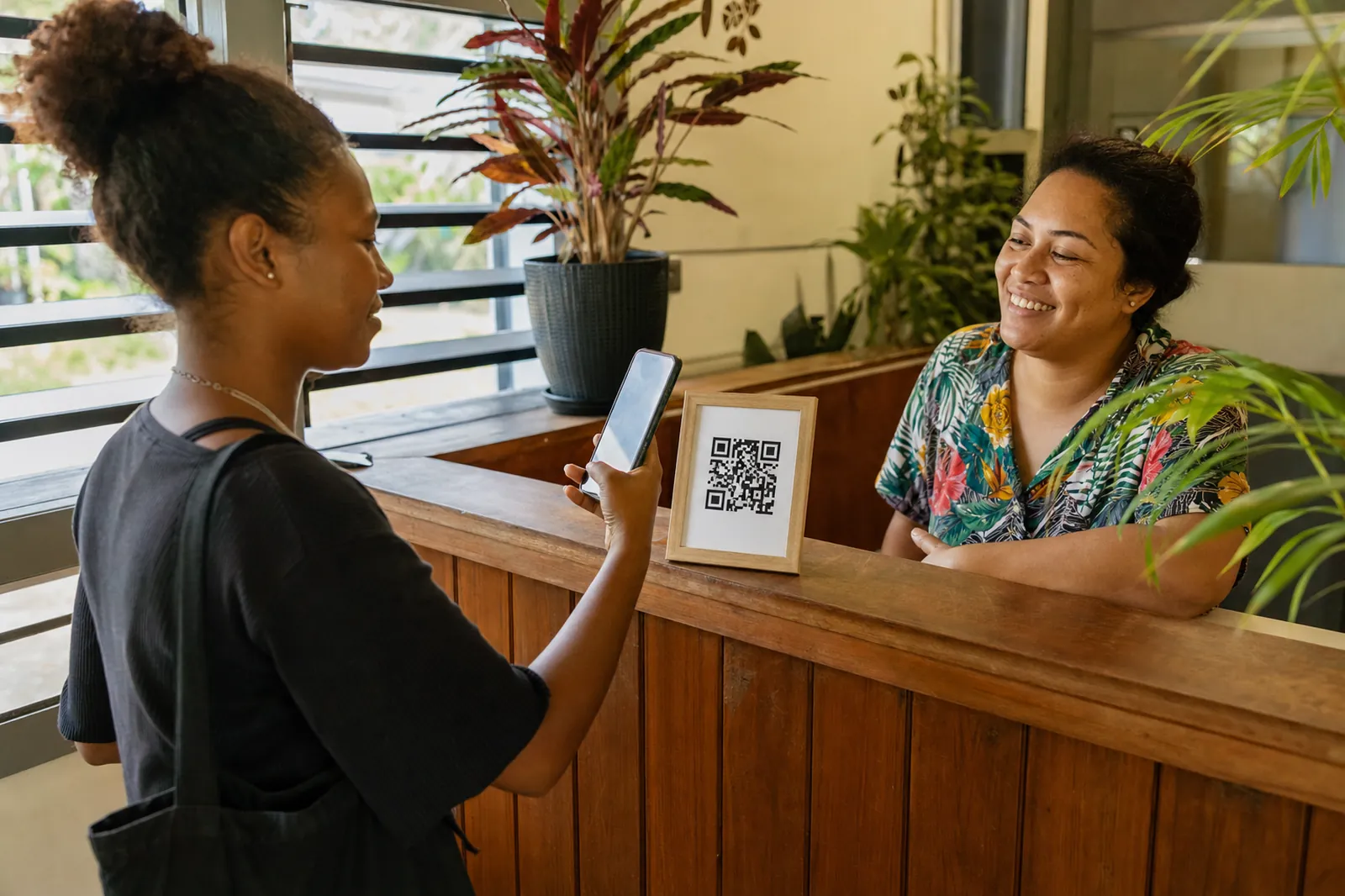
Right where your people already go.




Where the opt-out link goes.
Your name first
“Example Store:” people know who's writing before they read the offer.
STOP at the end
After “STOP:”, always in the same place.
One single SMS
The link counts towards your 160 characters: the character counter shows you what's left.
The rules around marketing texts: what the regulations say about opting out.
Your questions, answered.
Does every text need an opt-out link?
Every marketing text should have one: it's good practice to give people a simple way to stop receiving them. A service message with no promotion in it isn't marketing. The SMS PRO opt-out link is what makes opting out simple for your recipients.
How do I add the opt-out link to a message?
From the send screen, insert your organisation's opt-out link the same way you insert a short link. Put it at the end of the message, after "STOP:". The counter includes it when it works out how many SMS your message uses.
Does one STOP apply to all our teams?
Yes. An opted-out number is removed for every account in your organisation, including sends that are already scheduled or being paced out.
Can a number be taken off the STOP list?
Yes, from your organisation's STOP list, when the person asks to receive your messages again.
What does the recipient see when they opt out?
A plain page showing your organisation's name, a field for their number, then a code sent to them by text to enter.
Related pages
SMS campaigns
Test two messages, pace your send and track clicks, with the opt-out link in place.
SMS delivery tracking
Delivered, not delivered, not confirmed or set aside: the reason behind every status.
SMS templates
Ready-to-adapt messages: marketing ones with their opt-out link, service ones without.
Easy to leave. Tempting to join.
Since 2016, we've been sending texts for organisations across New Caledonia. Tell us which of your teams send texts, and which of your messages are marketing: an adviser in Nouméa will show you a STOP list set up for your case.
50 free SMS to try, no commitment: contact@smspro.nc